

Getting started
From the box to the first position on the map
Five steps, the same as on the card in the box. The first charge takes longest; the rest is done in a few minutes.
- Quick-start guideCzech · 2 pages · 318 kBDownload
- User manualCzech · 15 pages · 1,5 MBDownload
- User manualSlovak · 15 pages · 1,5 MBDownload
- User manualEnglish · 15 pages · 1,5 MBDownload
Charge the tracker
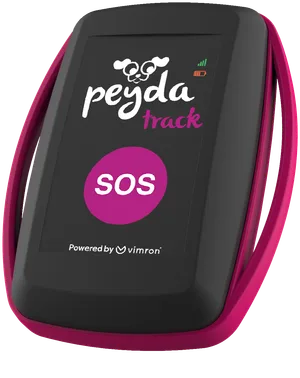
Connect the tracker to a charger with a USB-C cable. The red battery symbol stays lit while it charges; once it goes out, the tracker is full.
The first charge takes up to 3 hours.
Switch it on outdoors
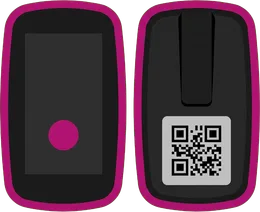
Hold the button on the tracker for five seconds, ideally outside or at a window with a view of the sky, so it finds the satellites quickly. The battery symbol lights up, and after a moment the signal does too.
Finding the satellites and joining the network can take a few minutes.
Download the app and create an account
The Peyda Track app is a free download. Create an account with your e-mail address and a password, then confirm it with the link we send to your inbox.

Sign in and choose a subscription
Once you're signed in, choose a monthly or a yearly subscription. You pay for it straight through the App Store or Google Play, and you need it to add a tracker to your account.

Add the tracker and clip it on the collar
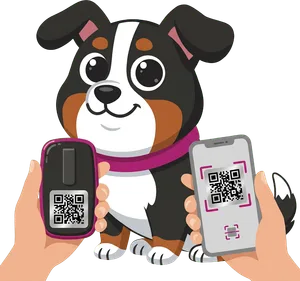
Tap Add and scan the QR code. You'll find it on the card in the box or on the back of the tracker. Give the tracker a name and fit it on the collar with the logo facing out, towards the sky. That's where it gets the best signal.


When something isn't working
Check the status: press the button once
The battery light blinks once for every ten per cent left, so five blinks means 50%. The signal light tells you whether everything is fine:
| Signal | What it means |
|---|---|
| 1× long | Everything is fine |
| 2× | No satellites in view. Take the tracker outside. |
| 3× | It hasn't joined the NB-IoT network |
| 4× | No satellites and no network |
| 5× | A problem with the SIM card and the network |
| 6× | No SIM, no satellites and no network |
Switching off
Press the button three times in quick succession. The lights start blinking in turn, and after five seconds the tracker switches off.
For the best signal
- Keep the tracker's logo pointing at the sky.
- The signal weakens indoors and between tall buildings. The tracker then sends at least an approximate position over the mobile network.
- A lot of metal nearby can interfere with the signal.
- The tracker is rain-resistant, but not waterproof. Take it off your dog before a swim.
- Charge it at between 10 and 45 °C. The battery cannot be replaced.
Still stuck?
Write to us at support@peydatrack.com or have a look at the frequently asked questions.